When building applications based on Large Language Models (LLMs), document parsing is often the first hurdle and a critical factor determining the final outcome. Whether for RAG (Retrieval-Augmented Generation) systems or automated workflows, high-quality text extraction is essential.
Today, we will introduce a powerful document parsing tool, MinerU, and guide you through integrating and using it within Dify.
What is MinerU?
MinerU is an intelligent and open-source document data extraction tool launched by OpenDataLab. It specializes in solving parsing challenges for complex documents, capable of accurately converting PDF files or web pages containing mixed content like images, formulas, and tables into machine-friendly formats like Markdown.
Its core advantages include:
- High-Precision Parsing: Extracts not just text but also preserves document structure information.
- Multi-Format Support: Excellent capability in processing PDFs, e-books, and images.
- Open-Source Friendly: Provides open-source models and supports self-hosted deployment to ensure data security.
Using the MinerU Plugin in Dify
Dify's plugin ecosystem is now very rich, and the official MinerU plugin is available, allowing developers to easily leverage its powerful parsing capabilities in their workflows.
1. Installation from Plugin Marketplace
First, search for "MinerU" in Dify's Plugin Marketplace, and you will see the plugin.
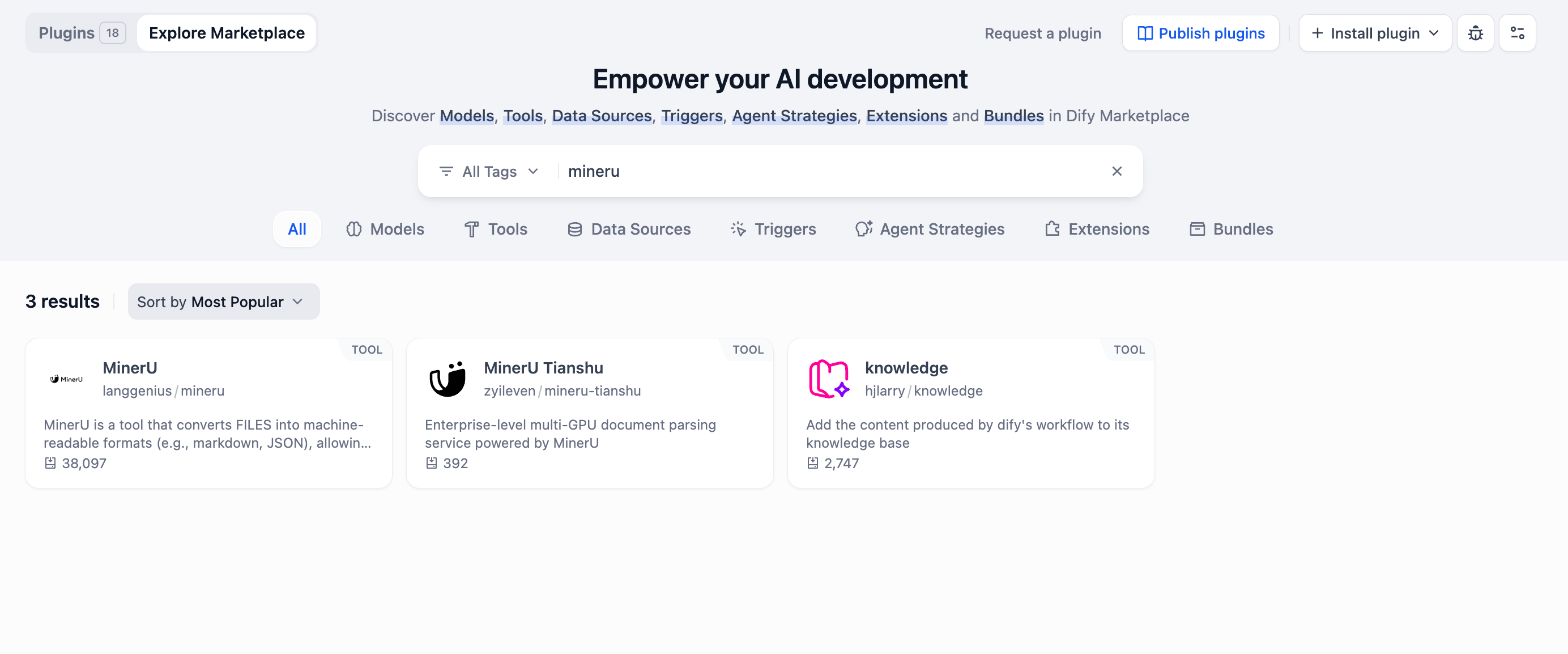
2. Tool Integration
Once installed, you can find it in the Tools tab within Dify.
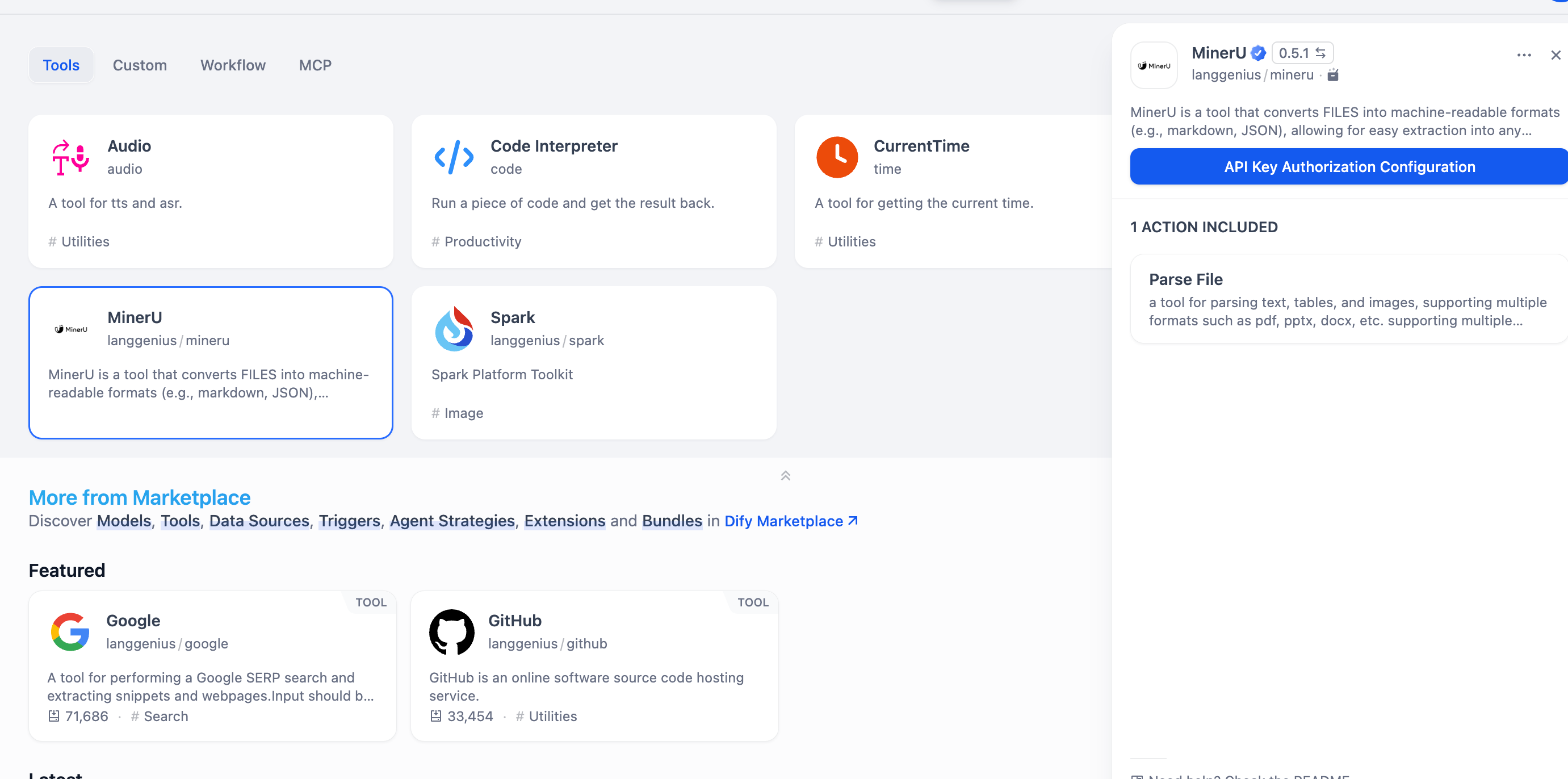
3. Plugin Configuration
Before using the MinerU plugin, some simple configuration is required.
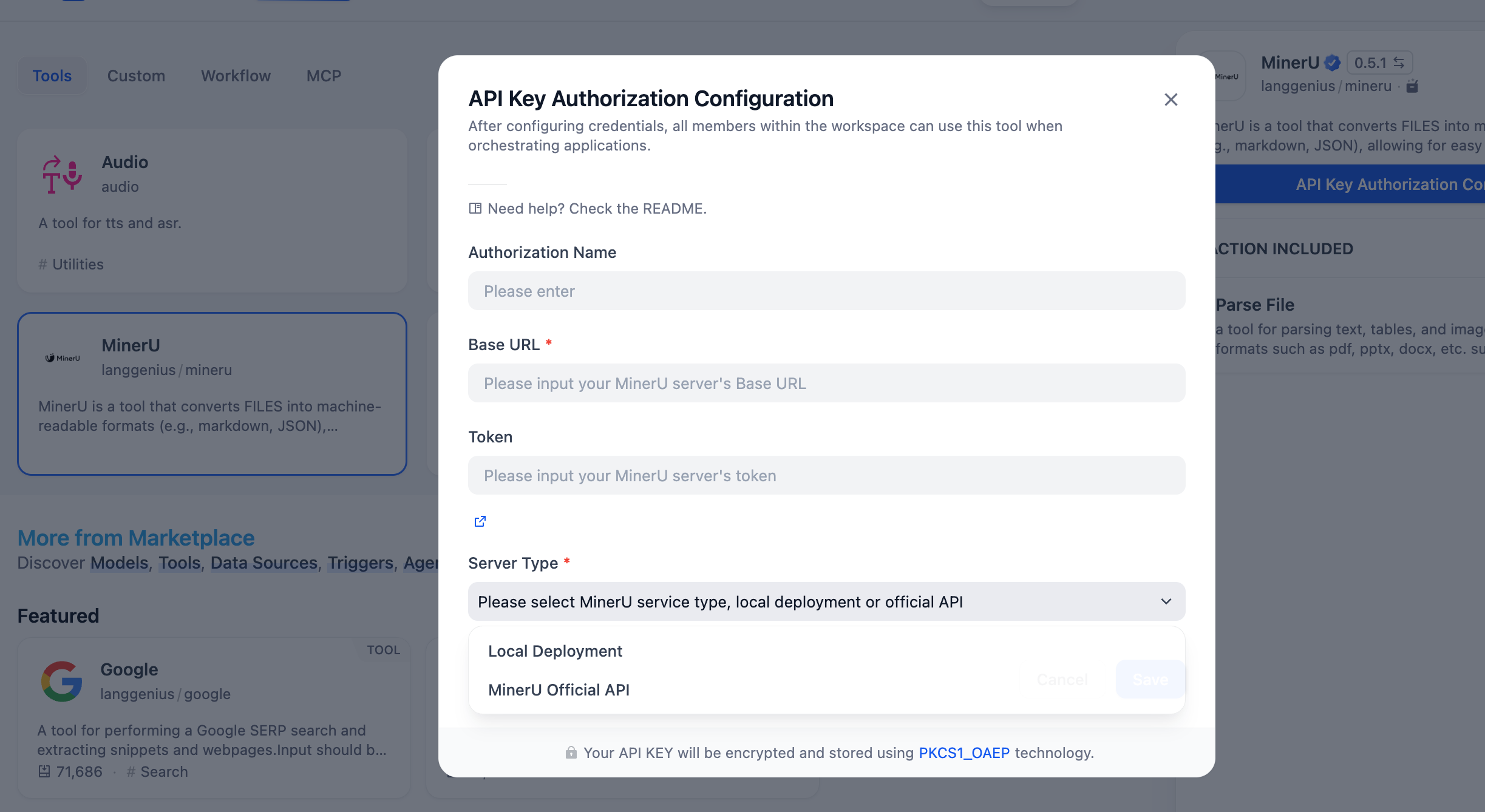
Configuration Guide: Two Integration Methods
To get MinerU running in Dify, there are primarily two configuration methods, suitable for SaaS users and enterprise users who wish to have full control over their data.
Method 1: Using Official API Key (Recommended for Quick Start)
This is the simplest and fastest way, suitable for most users.
- Visit the MinerU official website's Token management page: https://mineru.net/apiManage/token
- After registering/logging in, create a new API Key.
- Return to the MinerU plugin configuration page in Dify and paste the applied Key.
Method 2: Self-hosted Deployment (Open Source Solution)
For enterprise users with data privacy requirements or those needing large-scale processing, you can choose to deploy the MinerU service yourself via Docker or source code.
- Project URL: https://github.com/opendatalab/MinerU
You can refer to the deployment documentation in the GitHub repository to start the service. After deployment, enter your self-hosted service's Base URL in the Dify plugin configuration to use it.
Local Deployment Guide
If you want to experience the powerful features of MinerU locally, follow these steps.
Note: MinerU has specific hardware and software requirements. Recommended systems are Linux / Windows / macOS with Python 3.10-3.13. GPU acceleration requires Volta architecture or later GPUs, or Apple Silicon, with a minimum of 6GB VRAM.
Option 1: Install using pip or uv
pip install --upgrade pip
pip install uv
uv pip install -U "mineru[all]"
Option 2: Install from source code
git clone https://github.com/opendatalab/MinerU.git
cd MinerU
uv pip install -e .[all]Tip:
mineru[all]includes all core features and is compatible with Windows / Linux / macOS systems, suitable for most users. If you need to specify the inference framework for VLM models, or only intend to install a lightweight client on an edge device, please refer to the Extension Modules Installation Guide.
Option 3: Deploy using Docker
MinerU provides a convenient Docker deployment method, which helps quickly set up the environment and resolve tricky compatibility issues. See the Docker Deployment Instructions for details.
Basic Usage
After installation, if your device meets the GPU acceleration requirements, you can use a simple command line for document parsing:
mineru -p <input_path> -o <output_path>If your device does not support GPU, you can specify the backend as pipeline to run in a pure CPU environment:
mineru -p <input_path> -o <output_path> -b pipelineFor more advanced usage, WebUI options, and detailed configuration, please refer to the MinerU Official GitHub Repository.
Practical Use Case: Parsing Complex Forms
With MinerU integrated, what can we do in a Dify workflow? A very typical scenario is structured extraction of complex forms.
Imagine you have a pile of scanned copies or PDFs of purchase orders, medical receipts, or financial statements. Throwing them directly at an LLM often leads to recognition errors due to messy formatting.
In a Dify Workflow, we can orchestrate it like this:
- File Upload: The user uploads the PDF file that needs processing.
- MinerU Parsing: Call the MinerU tool to convert the PDF into text with a clear Markdown structure. This step excellently restores tables and hierarchical relationships.
- LLM Extraction: Feed the parsed Markdown content to an LLM, asking it to extract key fields (such as order number, amount, date, etc.) based on a Schema.
Through the combination of "Dify + MinerU", processing unstructured documents—which used to be a headache—instantly becomes smooth and efficient. Go ahead and try it out in the Dify Plugin Marketplace!